Appearance
 Print Preview
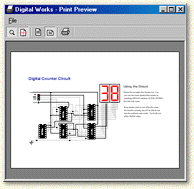
Print Preview displays an image of the current circuit as it will appear when printed. Digital Works is designed to default to landscape printing. This will not effect your default windows setting. However, overriding the default settings in the Printer Setup option of Digital Works may require the circuit to be manually repositioned on the worksheet.
Toolbar Buttons
 Zoom
Zoom
Use the Zoom button to increase or decrease the size of the circuit design.
 Centre Image
Click on the centre image button to position the circuit at the centre of the page.

 Portrait and Landscape
The default paper orientation for Digital Works is set to Landscape. Click on the Portrait button to change the default orientation.
 Print
Print
Sends the circuit to the printer. See Print for more details.