Appearance
Seven Segment LED

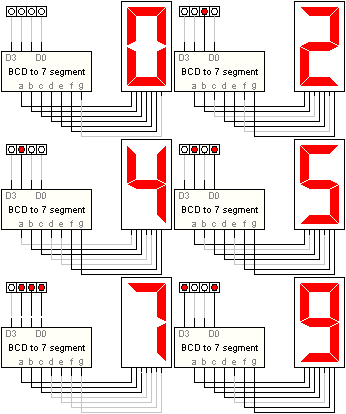
This object enables you to monitor circuit output by attaching one or more seven segment LED displays to the circuit workspace. These devices are normally used with Binary Coded Decimal (BCD) to seven segment display drivers. You can use the BCD driver supplied with Digital Works from the Parts Centre.
Placing the Device
To place a seven segment LED into a circuit workspace, select the icon and move the mouse into the active view. Press the left mouse button to fix the device at the required location.
Changing Color
By selecting the device with the object selector tool and right clicking the mouse, the pop up option to change the color of the device is made available.
Common Cathode / Common Anode
You can change the 7 segment LED from common cathode to common anode by right clicking the mouse on the selected object and choosing the Common option.
- Common Cathode (default) — an individual segment is activated when the input is logic high.
- Common Anode — an individual segment is activated when the input is logic zero.